Move to a New Phone Without Losing the Way Back
A phone transfer is finished when important accounts, messages, and personal files work on their own. Keep a route back until they do.
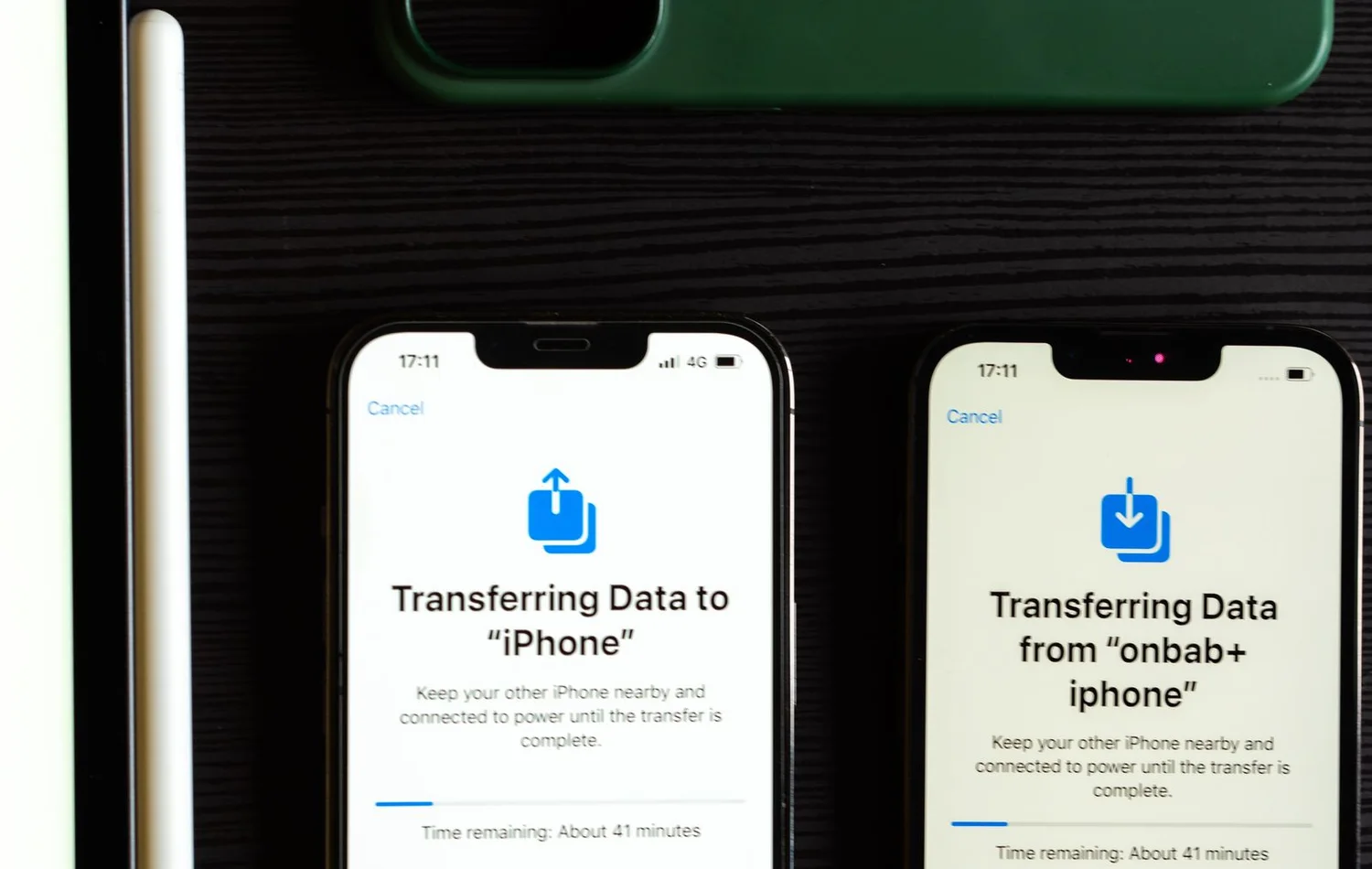
The new phone comes to life, the wallpaper appears, and dozens of familiar icons take their places. A migration can look complete at that point and still leave a calendar full of ordinary obstacles. The bank may require device enrollment. A messaging app may have restored its account while leaving local history behind. A transit pass can require special handling even when its companion app was copied. The goal of a safe migration is to preserve access to the old phone until you can prove the new one is enough.
Choose a quiet time before important travel or work. Leave both phones charged and connected to a reliable network. Gather the charger, any cable recommended by your device maker, and the credentials you know you will need. Reschedule the migration if you cannot unlock the older phone or sign into a primary account. Improving your recovery options while the old setup works is easier than diagnosing a missing dependency after you change phone service.
List dependencies in the order you will need them
Start with the services that unlock other services. A main email address, password manager, carrier account, and primary Apple or Google account can each sit upstream of several others. Record the names of the accounts you will need and the approved recovery method for each. Keep this as a workflow note away from the phones. Store secrets only in a secure place suited to them and avoid sending recovery codes to yourself in ordinary messages.
Check your authenticators separately. Some support syncing through an account and others need a device-to-device transfer or fresh enrollment. Google's Authenticator instructions describe supported options for that app. Your employer or school may have a distinct approval process for its own services. Make a short inventory of the accounts protected by each authenticator and look up their approved transfer methods before you touch those settings.
Consider where you receive codes. If a service sends a text to the line you plan to transfer, it may be temporarily unavailable during the change. If a carrier login depends on an email opened only on the old device, sign into that email from a separate trusted device first where supported. Search for dependencies that point back to each other. Keep a recognized browser session available if that is an approved and useful part of your recovery plan.
Make the backup specific
Start the built-in backup for your device and confirm that the most recent run actually completed. Read what it includes. A phone may synchronize photos separately from its system backup, keep files in an on-device folder, or store a large chat in a different provider. Google's device switching guide is one example of a platform guide that distinguishes backup restoration, app copying, and manual transfer. Use the current instructions for your two devices.
Pick a few personal records to verify by hand. An old voice memo from a field trip, a signed PDF in a downloads folder, a calendar on a lesser-used account, and a photograph from several years ago are good candidates. Make a separate copy of irreplaceable originals if you can do so securely. Open one from that backup location. Folder names and storage totals tell you less than being able to play a memo or read the right document.
Check pictures you may have edited. Some services synchronize a preview, an original, and edits using different settings. On the new device, compare a couple of known photos and verify that older videos play completely. Look for imported duplicate folders and make note of where the originals live before deleting anything. An apparent duplicate can be the only high-quality version or the only version with the original date and location metadata you wanted.
Let the initial transfer finish before repairing gaps
Follow the official setup flow and keep both devices available. When the setup screen first reports success, allow any background app downloads, photo sync, or indexing to continue. Under heavy background work, an apparent absence can be temporary. Keep a note of what you can already open and revisit anything marked as downloading after the phone has had time on a trusted connection and power.
Be careful about beginning a new record in two places. A note edited on old and new devices during a transfer may be harder to reconcile. If a messaging service gives you a choice between restoring an archive and starting a fresh history, read the consequences before proceeding. A good trial transfers a single kind of record and checks it. Once you understand which copy will become authoritative, resume ordinary editing, saving, and conversation on that copy.
Look for data managed by the app itself. A navigation tool may require offline regions to be downloaded again. A music subscription can bring back playlists while leaving offline tracks absent. A note-taking tool may require a folder or export to be imported separately. Open each app whose offline state matters and test it with no network temporarily, then reconnect. That trial is especially useful while a fast internet connection is still within reach.
Prove the line and the account work separately
Use the carrier's instructions when moving the physical SIM or eSIM. Determine whether a change is reversible through your carrier and whether you need its help to transfer the line again. After activation, place a harmless outgoing call and have a willing person return it. Test ordinary text messages and mobile data with Wi-Fi temporarily off. Restoring an app or viewing its icon does not establish that the device can receive the real signal it needs.
Now test your highest-priority services using their approved sign-in methods. Open a banking app and verify its account view without sending money just for the test. Sign into work or school through the stated enrollment route. Check whether an account recovery message arrives where you expect it. If a login prompt appears on the old phone, note that fact before removing it as a trusted device. That old device may still be doing important work.
For more sensitive or infrequently used accounts, space out the checks and follow their published help if anything fails. Repeatedly requesting fresh codes can make it unclear which one remains valid and may trigger account protections. Read the whole error message and confirm you have the right account and clock settings before starting another attempt. Whether you regain access on the new device or need support, keep a private note of what succeeded and which service remains unresolved.
Make the new phone spend a day alone
Leave the older phone available but unused for a full routine day if your situation allows. Check an alarm, connect to your normal vehicle or headset, open a work calendar, and confirm a payment or transit function using its designated setup rather than assuming that a card already copied. Pair accessories such as watches according to their instructions. A small dependency may appear at the exact moment you usually stop thinking about your phone, like tapping a gate on the way to work.
Think through what would happen without mobile data or Wi-Fi. If you regularly use tickets, maps, identification documents, or downloaded music, confirm the things you need are available in their documented offline modes. Keep information securely stored and remove temporary copies when appropriate. A phone works independently when you can complete an ordinary trip with it under roughly the same conditions in which you used the old one.
Check emergency and accessibility settings that made the former device easy to use. Font size, hearing device pairing, physical shortcuts, notification priorities, and medical or emergency information can each require a separate review. Ask anyone who assists you with a particular feature to help check it if that person is available. A migration checklist should include the people, places, and hardware involved in access, not only the records stored in an account.
A separate check is worthwhile for purchases and subscriptions. Verify that media you bought on one account still appears there, and that a family plan uses the same membership and billing arrangements you intended. An app store may offer the same application under two logged-in identities. Opening it under the wrong identity can look like lost purchases or expired access. Find the official restore-purchases route if the app provides one, and check your existing receipts before paying again. If billing is outside the store, confirm the subscription with the supported sign-in on the service's own site.
Retire the old phone at a deliberate moment
Once the new device is doing the important jobs by itself, confirm the fate of your old phone. The manufacturer's instructions will guide sign-out, device tracking and activation protection, and erasure. A trade-in, sale, or handover has different steps from storing it as your own emergency spare. Remove accounts and erase the device only after verifying your backup and completing approved transfer steps for services that depend on it.
Keep the final records you needed, including purchase details and any unresolved issue. See that the former phone is no longer an unexpected destination for prompts once it is retired, and remove stale trusted-device entries when appropriate. A careful transfer ends with a working phone and a path to recover it that you understand. You can then put the old device away without waiting to see which routine problem its absence will finally reveal.